One TERMINAL. ICP and TML wallet, swaps, payments, chat and markets.
Use your Internet Identity to manage ICP, TML, ckUSDC and ckBTC, swap supported assets, send payment requests, chat by Principal and follow ICP market data.
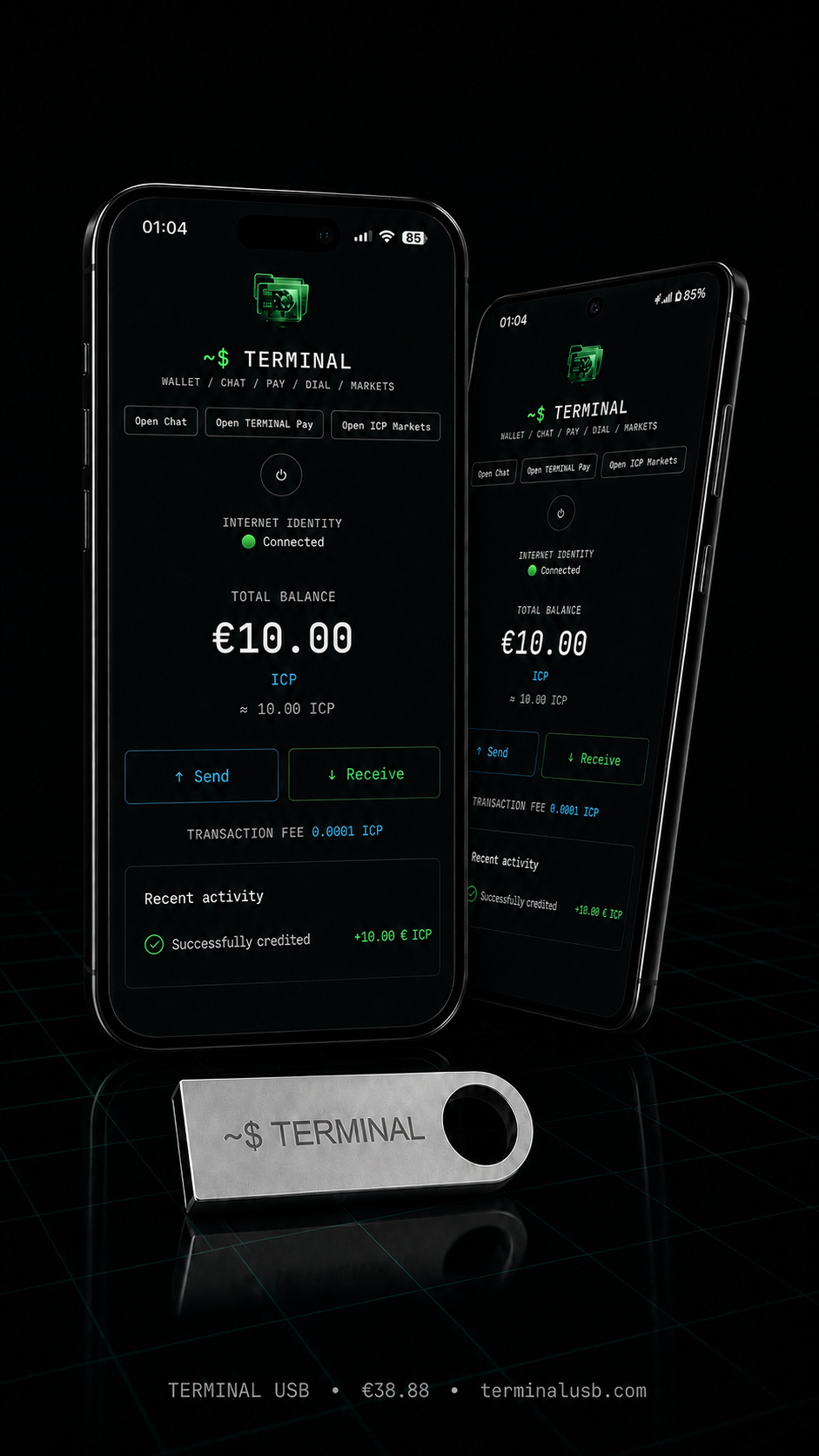
The USB is an access kit — not a hardware wallet
Important before you buy: the USB contains launch instructions and your delivery materials. It does not store private keys or Internet Identity.
Your real identity and access to your assets live in your Internet Identity — you sign in with a passkey, security key or a linked account.
Your single-use activation code unlocks one Internet Identity. The USB is used for initial configuration and guided access to TERMINAL on the ICP blockchain; protect your Internet Identity recovery options.
Terminal Token (TML) — live on ICP mainnet
A fixed-supply ICRC token integrated directly into TERMINAL Wallet through the same Internet Identity account.
Send, receive and follow TML from TERMINAL
Switch between TML and the original ICP wallet without creating another password or recovery phrase. View your balance, receive by address or QR, send with confirmation and inspect account activity through the public index.
TML has a fixed initial supply of 1,000,000 tokens and no usable minting account after launch. Its live TML/ckUSDC pool on ICPSwap enables public two-way swaps; pool prices can move and are not guaranteed.
Official ledger: 4mqcs-kyaaa-aaaad-qmeoq-cai · Index: 4ftjo-4qaaa-aaaad-qmepa-cai. Always verify the ledger ID before importing or trading TML.
Convert and borrow from one wallet
Review live terms, confirm every action yourself and keep control through your Internet Identity.
Swaps, borrowing and any external buy/sell provider use third-party protocols. TERMINAL does not custody pool liquidity, collateral, cards, KYC data or provider payouts, and does not guarantee execution, price, yield, conversion or repayment outcomes.
Terminal Play — chess through your Internet Identity
Create a public or private room, invite a friend and play from desktop or mobile.
Play, settle and review from one account
Your Internet Identity is the same identity used for your licensed TERMINAL access. The game keeps authoritative room state, turn order, clocks and result records on ICP.
Private rooms use a shareable invite link. Public rooms can be cancelled before another player joins.
Terminal Play is not a promise of prize, return or token value. Always review the displayed game and settlement terms before you join a room.
End-to-end encrypted Principal chat
Talk to someone using only their Principal
TERMINAL includes private one-to-one conversations addressed by Principal ID. The app does not ask you for a phone number or email to use chat.
Messages are end-to-end encrypted in the TERMINAL client: encryption happens on the sender device and only the intended recipient can decrypt the content. Use delivery/read status, favourites, blocking, message editing and an optional one-hour disappearing-message setting.
TERMINAL Pay — ckUSDC payment requests
Create a request, share a QR code or link, then verify the payment on the ledger.
Request payment without giving up control
Choose an amount in ckUSDC, a reference and an expiry. Your customer opens the link or scans the QR code, then approves the payment with their own Internet Identity.
TERMINAL checks the matching ckUSDC ledger transaction and records its block reference in the merchant dashboard. Each payment request is stored locally in the merchant's browser.
TERMINAL Pay is a payment-request tool, not a bank, card issuer or tax-invoicing system. Merchants remain responsible for their legal, accounting and tax obligations.
TERMINAL Dial — rules-based ckUSDC deals
A two-party beta feature for people who want the settlement outcome visible before either side locks funds.
Clear rules before a deal begins
The seller and invited buyer each lock the displayed deal price. The buyer also sees the 1% TERMINAL fee and applicable ckUSDC network reserve before approving their own transaction.
Accept releases the full agreed deal value to the seller. Reject or expiry returns 50% of the price to the buyer and releases the other 50% to the seller. TERMINAL does not judge delivery or arbitrate disputes.
TERMINAL Dial is a beta rules-based settlement tool, not an escrow service or arbitration system. Use it only with people you choose, read the displayed outcome before funding and start with small amounts.
ICP Markets — a clear view of ICP movement
A focused market screen inside TERMINAL, built for reading price movement without leaving your wallet.
Explore ICP across the timeframes that matter
Choose 15 minutes, 1 hour, 4 hours, 1 day or 1 week. Hover the chart to inspect the price and time, while high, average and low levels stay visible.
What is ICP?
Internet Computer Protocol (ICP) is a public blockchain network for running applications and canister smart contracts directly on the network.
Like Ethereum, ICP is a smart-contract platform — but ICP canisters can serve web interfaces, run WebAssembly code and preserve application state on-chain.
TERMINAL uses ICP mainnet for wallet transactions. State-changing network calls typically finalise in roughly 1–2 seconds; timing can vary with network conditions and the operation.
One tiny device, endless jobs
This isn't just "another crypto wallet." It's a self-custodied financial + messaging identity that fits on a keychain — and it's genuinely useful for far more than trading. Here's what people actually do with it:
Pay any online store or creator that accepts ICP directly — no card fees, no chargebacks, no middleman skimming a cut.
Businesses settle invoices directly with each other, instantly, worldwide — no wire transfer delays, no bank fees eating the margin.
Split a bill, pay back a friend, send money to family abroad — peer to peer, instantly, without a bank in the middle.
Give one to your kid as their first savings account — tangible, simple, and you control the recovery until they're ready.
A private stash for hard times, entirely outside the banking system — nobody can freeze it, and it's always in your pocket.
Pay freelancers and remote contractors anywhere in the world instantly — no forex markup, no international wire fees.
A physical gift that holds real, spendable value — not a plastic card that expires or a number in someone else's app.
Use Principal chat for privacy-focused coordination without entering a phone number or email in the app.
Skip currency conversion markups, card surcharges, and wire fees entirely — keep the money that's actually yours.
What is TERMINAL
| platform | Windows · Linux · macOS · Android · iOS |
| delivery | USB Access Kit with launch pages for all five platforms |
| install_required | Open the folder for your operating system and follow its included start instructions |
| identity | Internet Identity — nothing is stored on the USB |
| login_methods | passkey (Face ID / Touch ID / Windows Hello) · security key (FIDO2 / YubiKey) · Google · Apple · 24-word recovery phrase |
| chat | Principal-based chat — do not share recovery phrases |
| assets | ICP, TML, ckUSDC and ckBTC balances, receive, send and indexed activity |
| swaps | Supported asset conversion plus a live TML / ckUSDC ICPSwap pool |
| payments | TERMINAL Pay — ckUSDC QR and payment-link requests |
| dial | TERMINAL Dial beta — rules-based ckUSDC settlement · 0.04–500 ckUSDC |
| markets | ICP market chart · 15M · 1H · 4H · 1D · 1W |
| network | ICP mainnet (real transactions) |
| onboarding | step-by-step instructions included |
One app. Five focused modules.
The TERMINAL interface is the same on desktop and mobile. Screens shown use illustrative demo values.
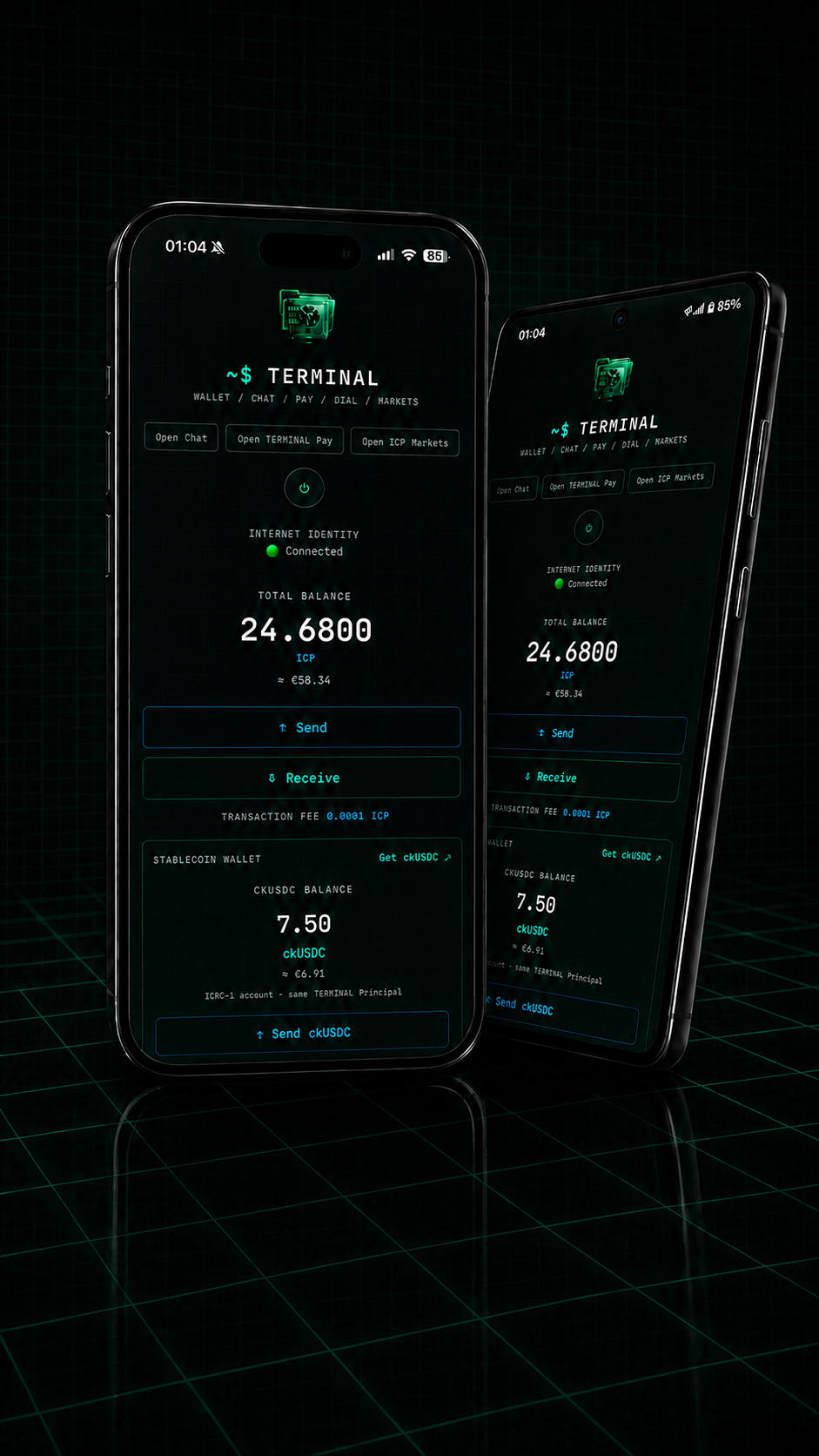
01 — WALLET
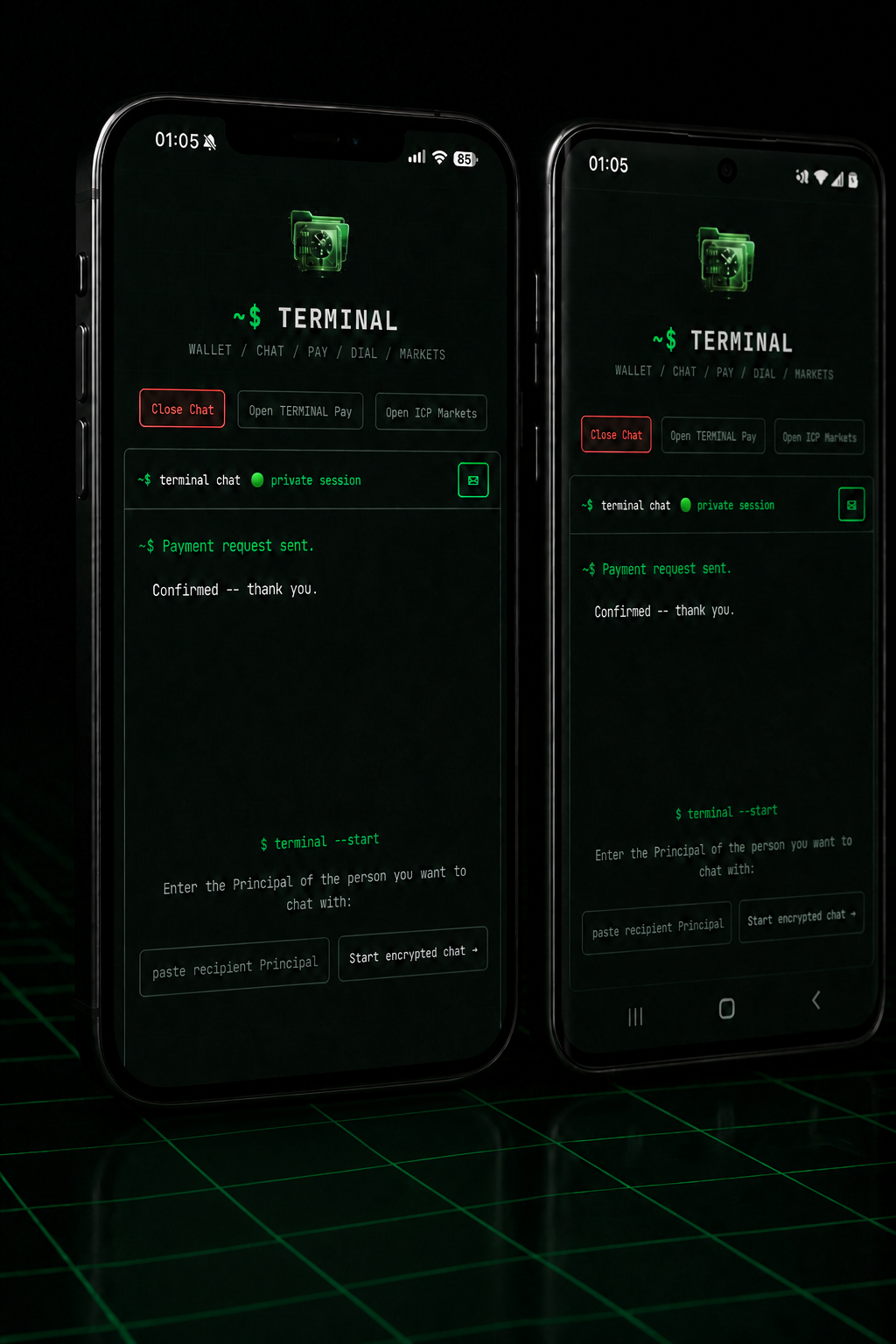
02 — PRIVATE CHAT
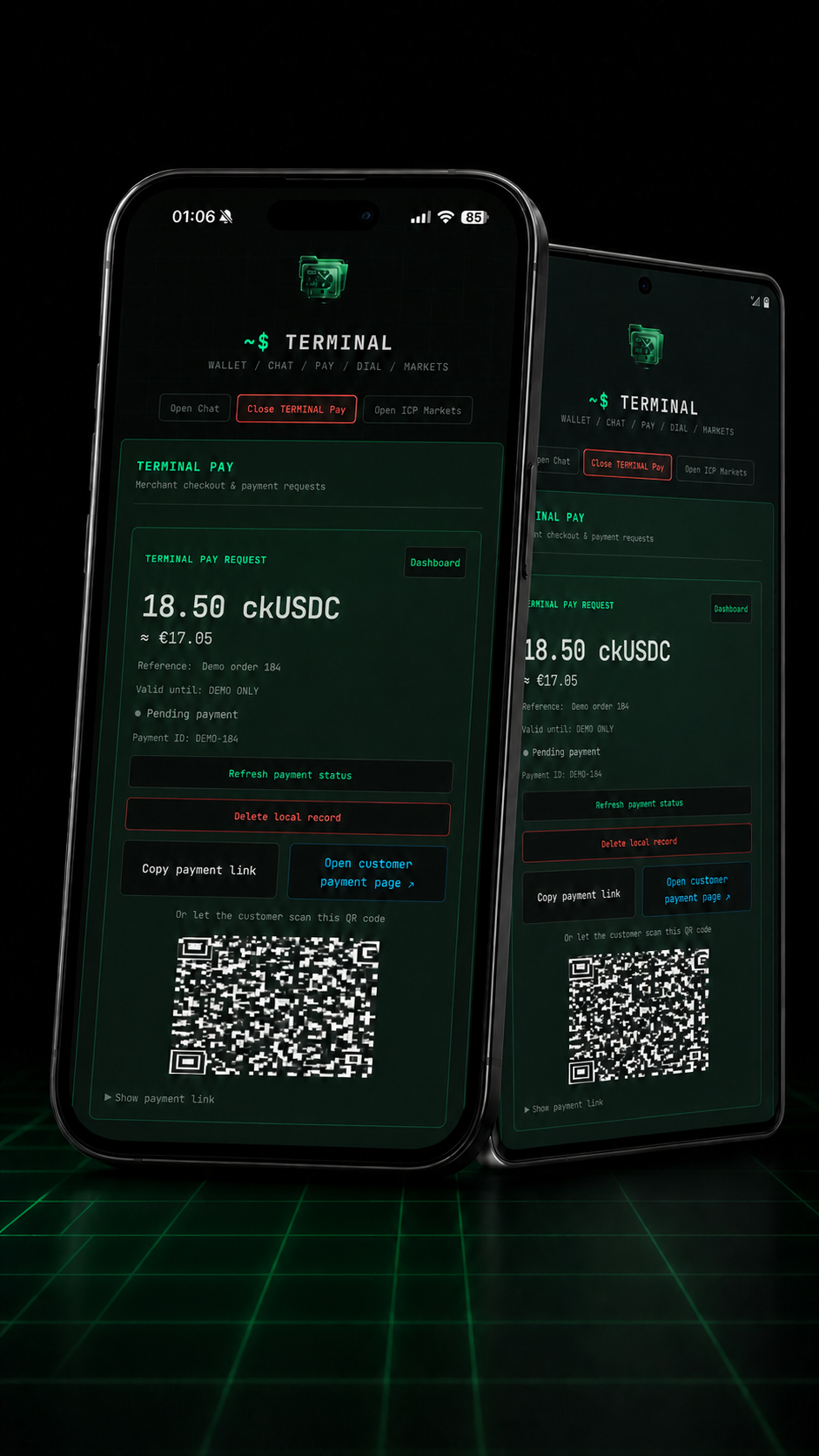
03 — TERMINAL PAY
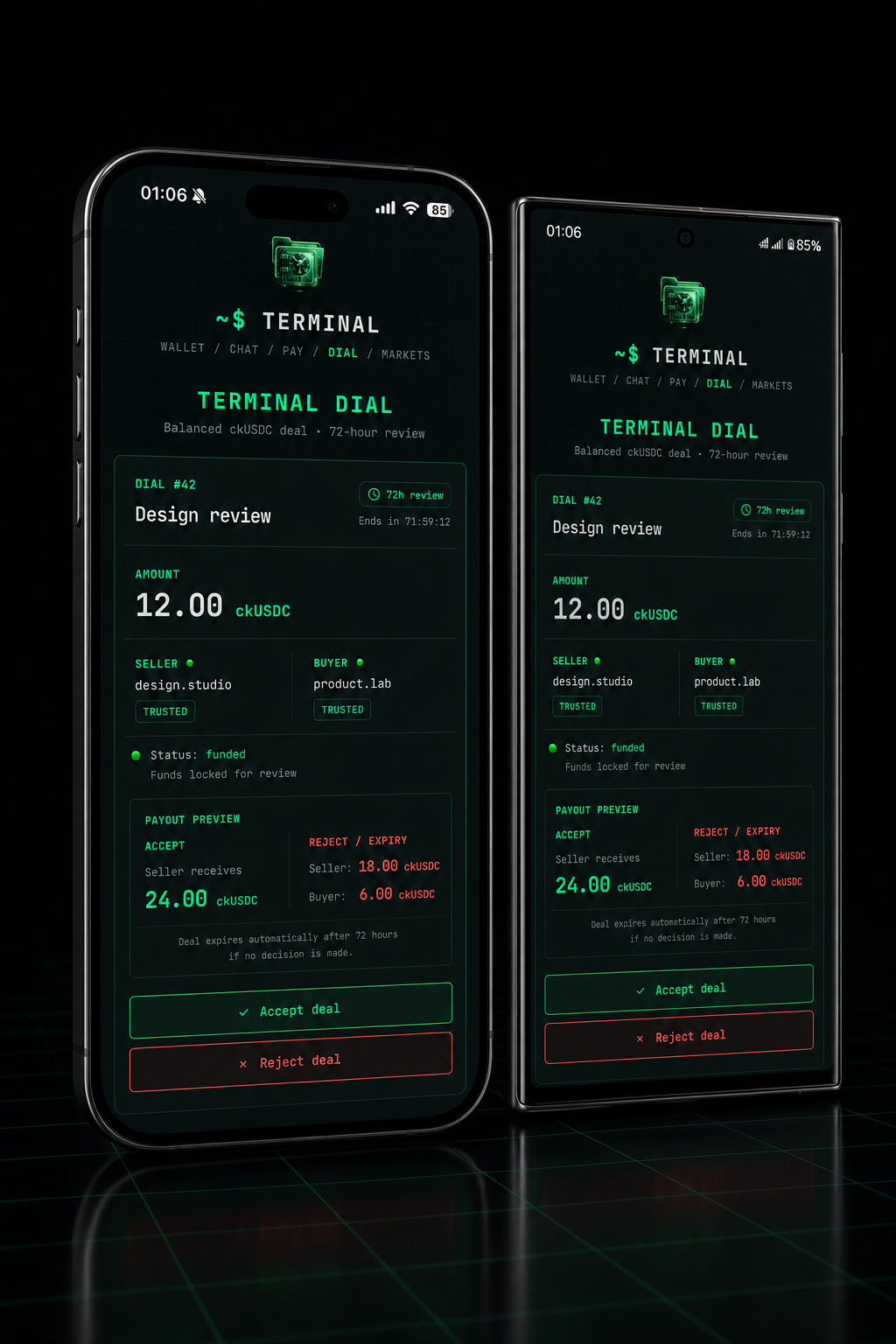
04 — TERMINAL DIAL
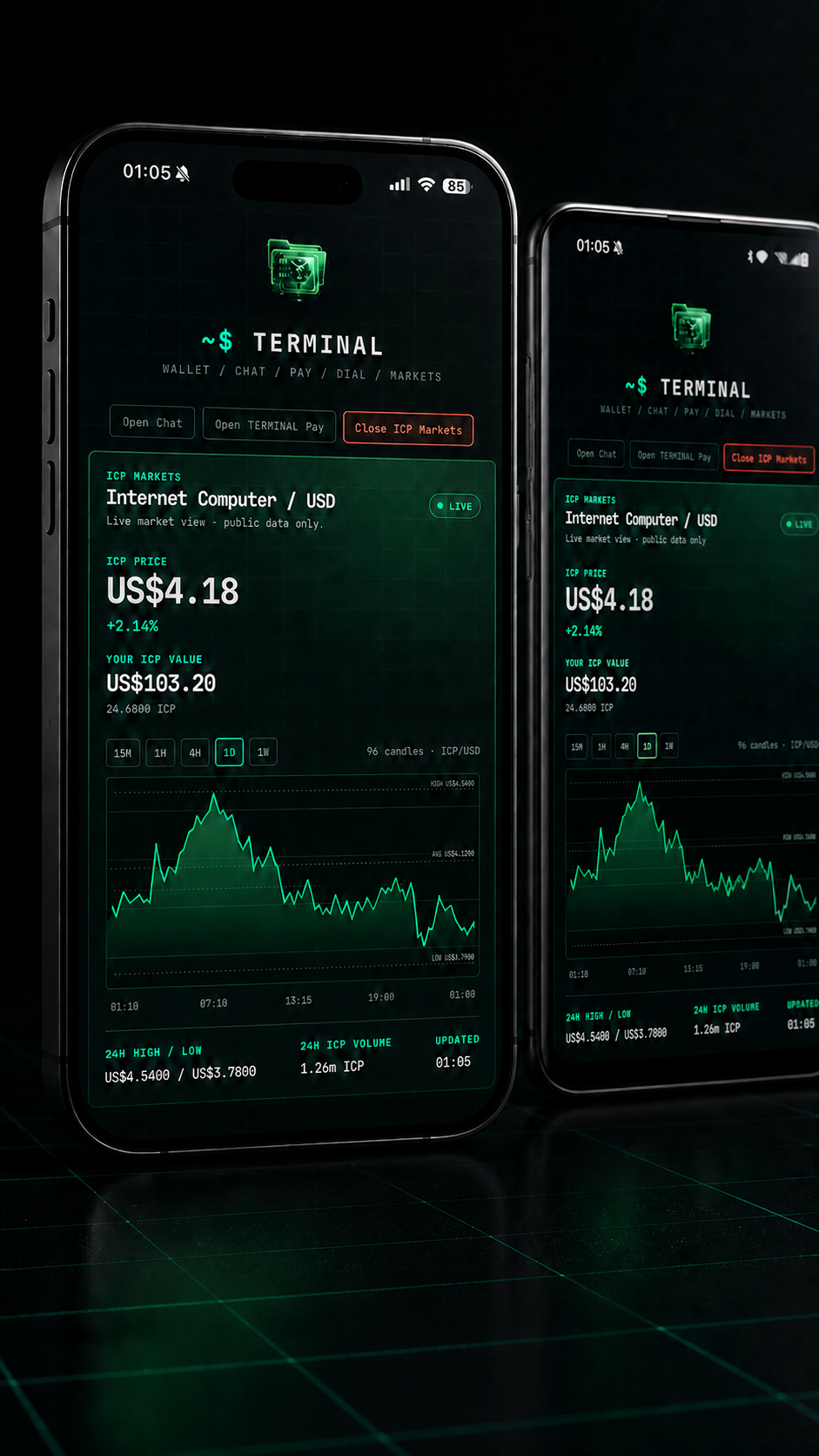
05 — ICP MARKETS
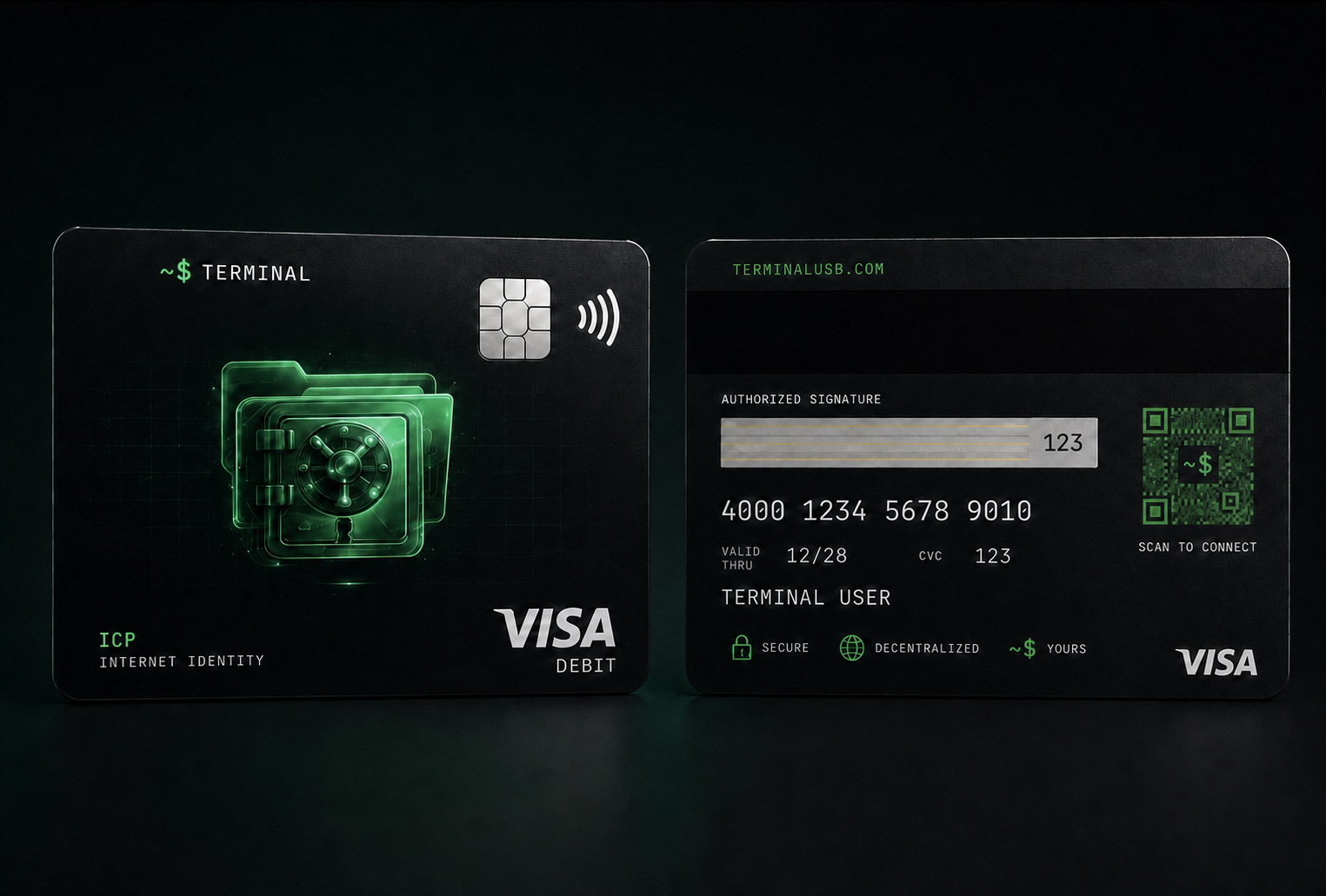
TERMINAL Access Card
TERMINAL Card is in development. The goal is to enable convenient payments and cash withdrawals, subject to the required licensed partnerships and regulatory approvals.
More details are coming soon. The card is not yet available and cannot currently be used for payments or cash withdrawals.
A relative gave you a TERMINAL USB?
The USB can be shared. Your wallet must not be. Activate your own Internet Identity with your own one-time code.
Choose your TERMINAL edition
Choose the ready-to-use access kit, an individual activation code for a USB you already have, or the Developer Kit.
TERMINAL USB Access Kit — five-platform access
- ✓ macOS · Windows · Linux · iOS · Android
- ✓ USB launch kit and one personal activation code
- ✓ €10 ICP welcome credit after successful activation
- ✓ Code delivered manually after payment verification
Own Activation Code — for a USB you already have
- ✓ One code, one Internet Identity
- ✓ Works with the included cross-platform start instructions
- ✓ No new USB delivery required
TERMINAL Business License & Implementation
- ✓ Scoped business implementation and onboarding
- ✓ Business licence for the agreed TERMINAL deployment
- ✓ Private deployment options available on request
- ✓ TERMINAL intellectual property remains with TERMINAL
# EU delivery is arranged after confirmed payment. Your activation code is sent manually after order verification; it is never displayed automatically on this site.
How it works
Why buy TERMINAL
You sign in only through your own Internet Identity (passkey, security key or a linked account).
Message by Principal ID without entering a phone number or email in the app.
Carry your physical setup and onboarding kit on a keyring.
Open the appropriate TERMINAL folder, run its start file, sign in, then activate once with your code.
The same TERMINAL experience across computer and mobile, so you use the same Internet Identity.
A ready, beautifully packaged solution for anyone entering ICP.
Windows, Linux, macOS — the same experience everywhere.
Each supplied code can be redeemed once, for one Internet Identity.
What if I lose the USB kit?
The USB is for initial configuration and guided access to TERMINAL on the ICP blockchain. It never stores your private keys or Internet Identity.
On another device, use the appropriate TERMINAL start instructions and sign in with the same Internet Identity. Keep your recovery information secure.
Security & responsibility
Set up recovery for your Internet Identity — with a recovery phrase (24 words). Write the words on paper and keep them offline.
This identity is everything — it unlocks access to your money and your chat. Never enter it on an unfamiliar site, and never share it by email or message.
Responsibility for safely storing the recovery phrase rests entirely with the user. If you lose control of or access to your Internet Identity, that's it — no one, including us, can recover it for you.
TERMINAL does not custody customer funds and is not financial advice. Only send transactions you understand and verify the official app address before signing in.
€10 in ICP welcome credit. Every TERMINAL USB order includes a one-time €10 ICP credit after successful activation.
Frequently asked questions
The sign-in system works through your own Internet Identity and the methods it offers — passkey, security key, or a linked account. The USB stores none of it. If needed, Internet Identity itself is recovered with a 24-word recovery phrase.
Yes. An internet connection is required. Open the folder for your operating system and use its included start instructions — no localhost setup is needed.
The USB does not contain your keys. It is for initial configuration and guided access to TERMINAL. Use your Internet Identity and the appropriate start instructions on another device. Your activation code is single-use, so keep it private before redeeming it.
Use the secure sign-in methods presented by Internet Identity. Set up recovery before adding funds and never share recovery words.
Yes. Open the TERMINAL_iOS or TERMINAL_Android folder and follow the included start instructions for your phone.
TERMINAL chat is addressed by Principal ID and uses end-to-end encryption in the client. Message content is encrypted on the sender device and can be decrypted only by the intended recipient. Wallet transactions use ICP mainnet.
After confirmed payment, the activation code is sent manually after order verification and is never displayed automatically on this site.